Introducing Filebase Sites: Simplified IPFS Websites with IPNS

The decentralized web has always promised something better: content that stays online, survives infrastructure failures, and resists censorship by design. IPFS (InterPlanetary File System) delivers that foundation by addressing content by what it is, not where it lives.
But if you’ve tried to host a real website on IPFS, you’ve also seen the catch. The underlying primitives are powerful, but the workflow can feel like a tax on shipping. You end up juggling CIDs, gateways, keys, & update mechanics—just to keep a single URL stable.
Filebase Sites fixes that. It gives you a fast, simple path to publish a static site to IPFS, keep the address stable with IPNS, & ship updates without turning every deploy into a networking project.
If you’ve wanted decentralized hosting but stayed on the sidelines, it’s usually for one reason: the “last mile” is rough. You can pin content. You can share a CID. You can even make IPNS work—if you’re willing to own the operational burden. Sites is built for the developer who wants the durability of IPFS without adopting a second job.
The problem: every update changes your “address”
IPFS is immutable. That’s a feature, not a bug: it’s what makes content verifiable and tamper-resistant. The trade-off is that every change produces a new CID (Content Identifier). Update one file, rebuild your site, and you get a brand-new CID.
That’s fine for artifacts, backups, and versioned content. It’s painful for websites.
On the traditional web, your domain stays the same while the content changes. On “raw” IPFS hosting, the “address” changes with every deploy. Asking users to bookmark a new link each time is a non-starter, and wiring up redirects across gateways is fragile.
The answer is IPNS (InterPlanetary Name System): a persistent identity (a key pair) that can point to different CIDs over time. But managing IPNS directly is where most teams stall. Keys are easy to lose, publishing is easy to get wrong and name resolution can be slow or inconsistent when it isn’t actively managed.
Sites is built around a simple idea: keep the decentralized guarantees, remove the manual steps. Publishing a website shouldn’t require you to understand every moving part of the network.
What Sites does differently
Sites treats IPNS as a first-class workflow instead of a DIY add-on. You get the benefits of immutable content with the experience of a stable, updatable website.
Managed IPNS, built into every Site
When you create a Site in the Filebase dashboard, Sites generates and manages an IPNS key for you. That key becomes your Site’s persistent identity. Instead of sharing an ever-changing CID, you share a stable reference that can move as your site evolves.
When you need to ship an update, you don’t touch a node, a CLI, or a DHT. You upload your new build, grab the new CID, & use Update CID. Sites handles the heavy lifting: publishing the new IPNS record & keeping the pointer current.
That is the core promise: your content changes, your address stays the same.
This also changes how you think about releases. Each deploy is a specific, verifiable version of your site (a CID). That makes it easy to audit, easy to share, & easy to compare. It also makes rollbacks straightforward: if you need to revert, point back to a prior CID.
Custom domains that look like a real product
A long, cryptic identifier is fine for testing. It is not what you put on a landing page, in a tweet, or on a business card.
Sites lets you attach a custom domain to your decentralized website using a familiar DNS workflow. Add your domain in the dashboard, then create a CNAME record at your registrar. Once DNS is in place, Sites routes traffic to your Site & serves it securely over HTTPS with automatic SSL provisioning & renewal.
You get a clean URL like your-domain.com with the durability of IPFS under the hood.
DNS isn’t instant, so Sites is explicit about what to do next: add the record, wait a few minutes, then complete the connection in the dashboard. You get a clear path forward instead of guesswork.
A free subdomain for every Site
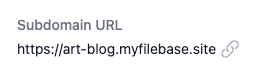
If you don’t have a custom domain yet, Sites still publishes your site to a human-friendly subdomain. You can share a URL like art-blog.myfilebase.site immediately, then attach your-domain.com later when you’re ready.
Bring your own identity with private key import
Decentralization only matters if you control your identity. If you already have an IPNS key you’ve used elsewhere, you shouldn’t have to abandon it to get a better workflow.
Sites supports importing an existing private key during Site creation. That means you can migrate infrastructure without changing the address you’ve already shared. You keep continuity, you keep ownership, and you don’t get trapped behind a platform-specific identity layer.
What you see in the dashboard
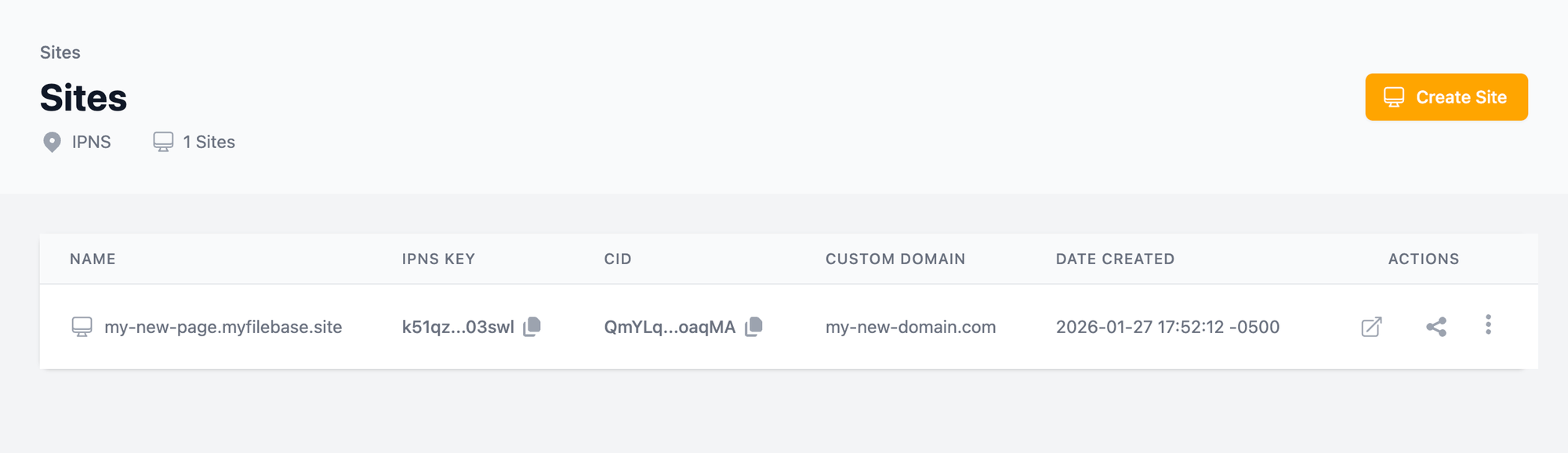
Sites is designed to make the important details visible without turning the UI into a wall of jargon. At a glance, you can track what’s live, what’s shared, & what needs attention.
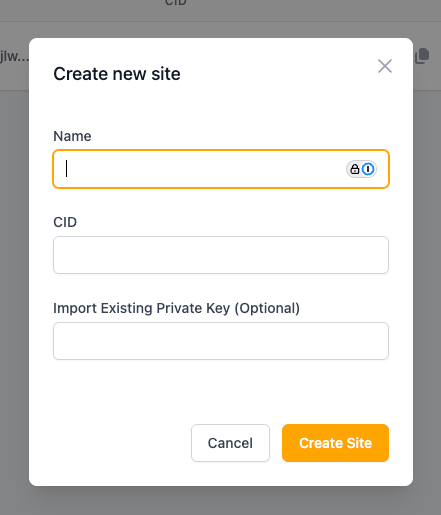
For each Site, the dashboard surfaces the pieces you actually use:
- Name: your human-readable label for the project.
- IPNS key: the stable identifier you can copy when you need a persistent reference.
- CID: the exact version currently live.
- Custom domain: the domain bound to the Site (or an empty state that prompts you to add one).
- Created date: a simple audit trail for teams managing multiple projects.
You also get quick actions for the real workflow: open the site, copy the share URL, update the CID, add a custom domain, remove a custom domain, or delete the Site when you’re done.
How to launch your first Site
Sites is designed to remove activation energy. You should be able to go from “finished build” to “live URL” in minutes.
Here’s a practical workflow:
- Upload your static site (HTML, CSS, JS, assets) to Filebase.
- Copy the CID for the root of the site content.
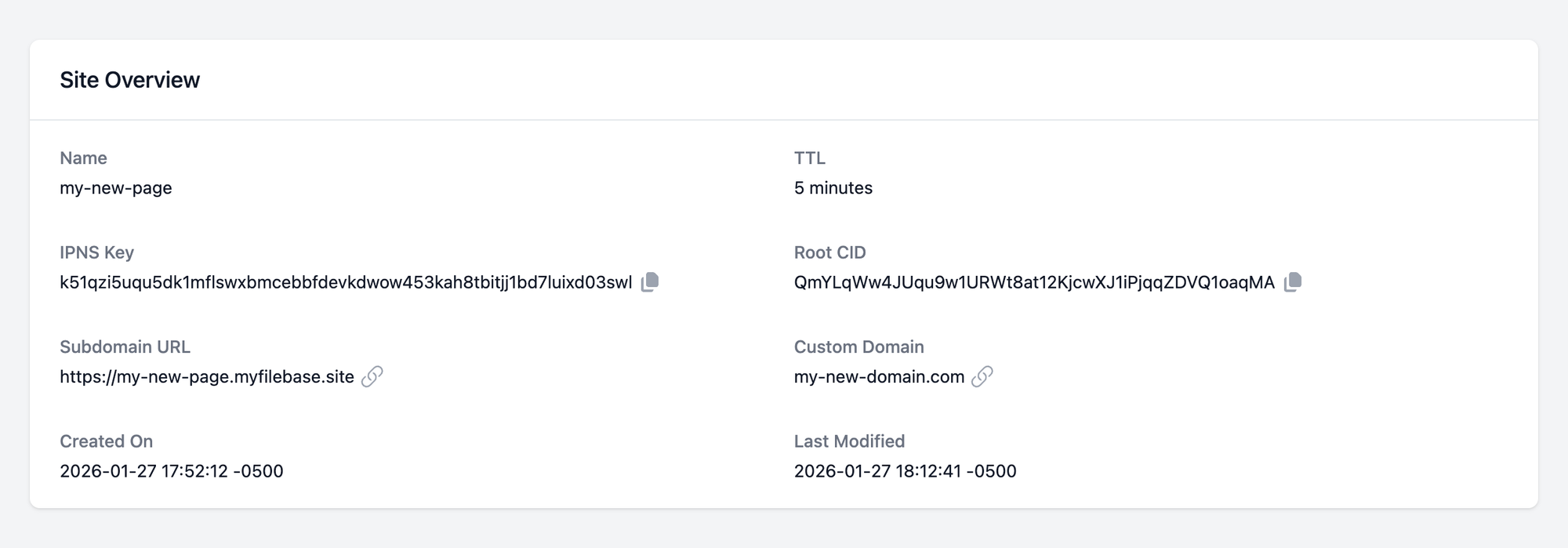
- Open Sites in the dashboard and click Create Site.
- Name the Site, paste your CID, and optionally import an existing IPNS private key.
- Share the Site URL immediately, or attach a custom domain when you’re ready.
When you deploy a new version later, repeat steps 1–2 and use Update CID. If you ever need to roll back, paste a prior CID. IPFS makes every version addressable, and Sites makes version switching practical.
Who Sites is for
Sites is built for teams that want the reliability of decentralized storage without the operational overhead of running and maintaining the plumbing.
- Product sites & marketing pages: Publish a static site that stays online and stays fast.
- dApp frontends: Keep your UI resilient. If your backend is decentralized, your frontend should be, too.
- Docs & knowledge bases: Ship versioned documentation with the option to keep a stable address.
- Portfolios, community hubs, and campaigns: Reduce downtime risk and improve long-term availability.
In each case, the “job to be done” is the same: publish a website that can evolve without breaking links. Sites does that while keeping the decentralized benefits intact.
This is also where decentralized hosting starts to feel practical, not theoretical. You get the credibility of content addressing & the convenience of a stable URL. You get a workflow that looks like “deploy, share, update”—not “publish, debug, republish, hope it resolves.”
The next step
If you’ve avoided IPFS hosting because it felt too manual, Sites gives you a new default: decentralized by architecture, simple by workflow.
Go to the Filebase dashboard, open Sites, & create your first Site. Start with a free subdomain, then add a custom domain when you’re ready.
If you want the fastest first win, start with a small static site, publish it, then push one update to feel the workflow end-to-end. After that, connect your-domain.com & ship with the confidence that your address won’t change on the next deploy.